How I Improved Korean Localization Without Changing the Original Design
A case study on improving a Squarespace multilingual website by making the Korean version feel native while preserving the original English design.
A client recently asked me to improve the Korean version of their Squarespace website.
The website was already translated using Weglot.
The translation itself worked correctly.
But something felt different.
The Korean version did not feel like the same website.
The goal was simple:
Keep the original English design while making the Korean version feel natural.
The Result
Before explaining the process, here is the final comparison.
The same website shown in three different states:
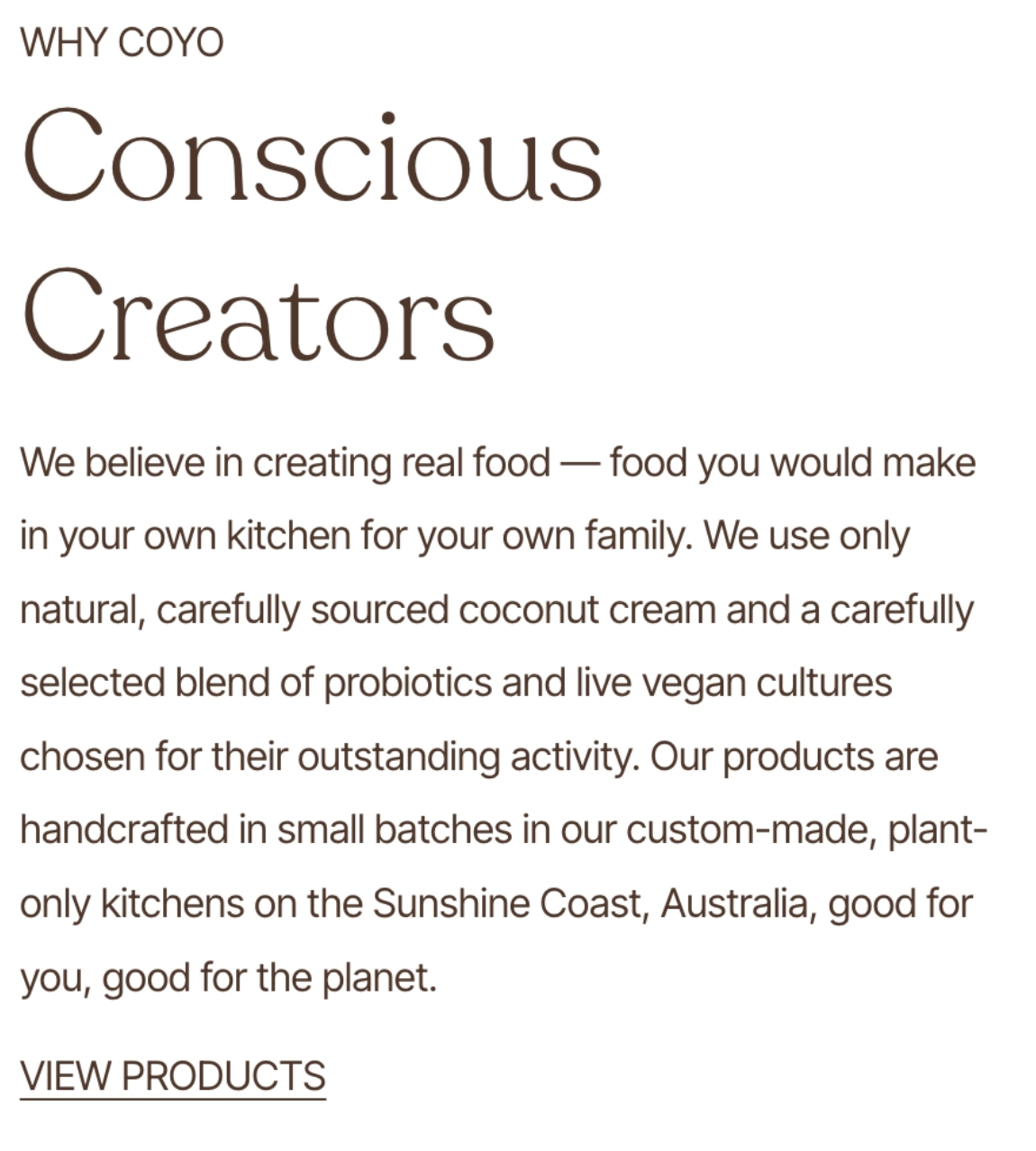
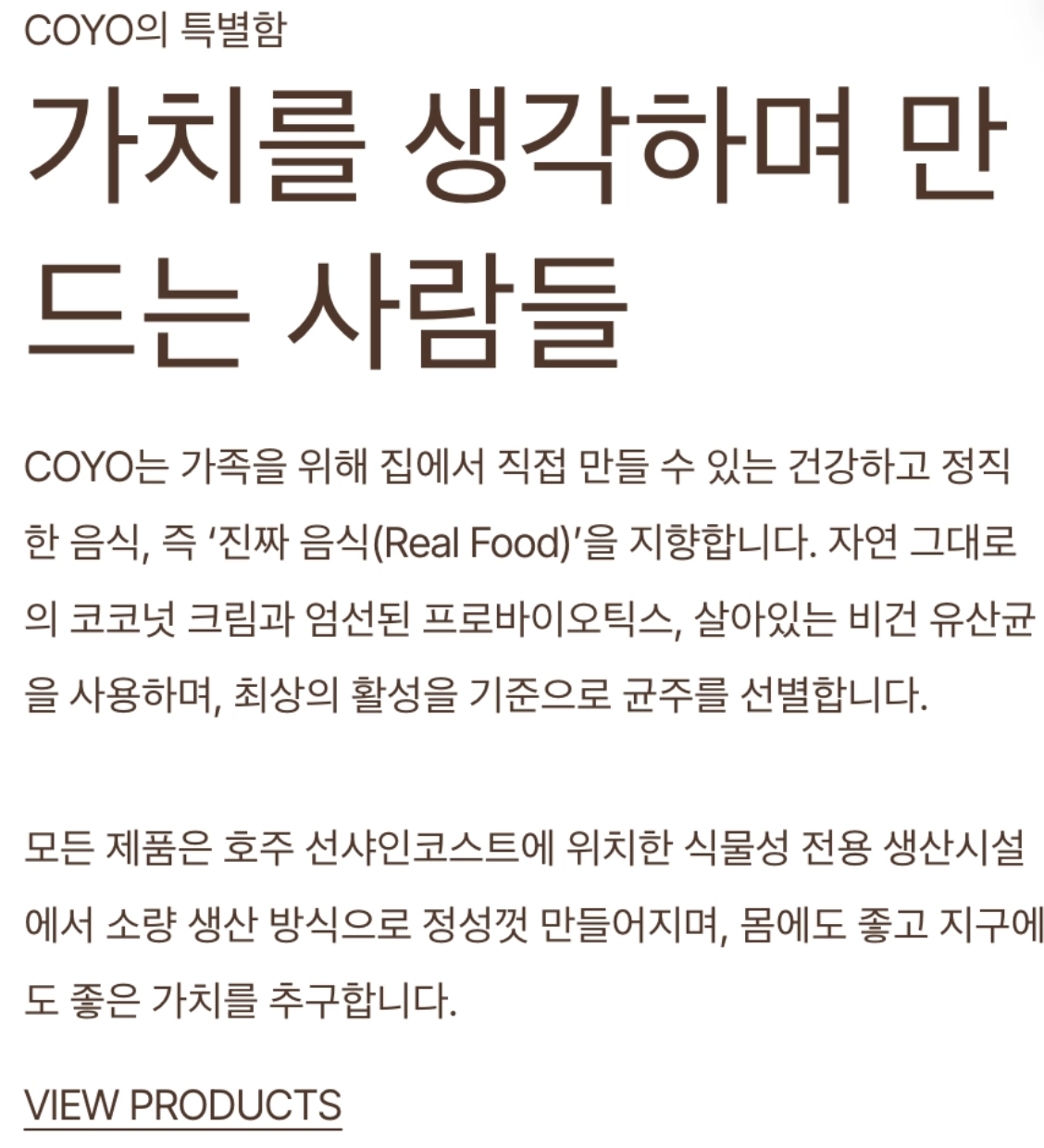
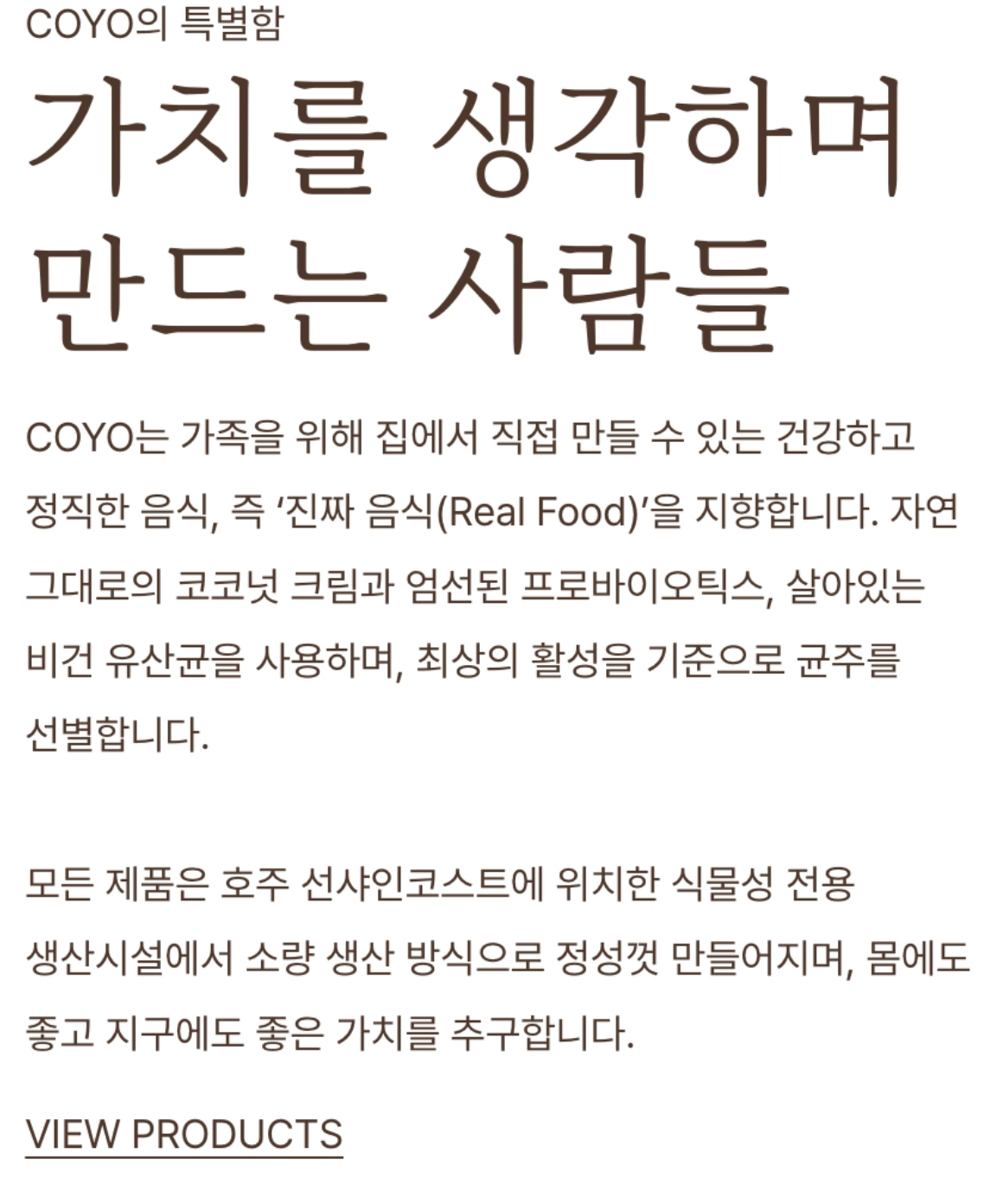
The English version remained unchanged.
The Korean version was improved using Squarespace Custom CSS while keeping the original layout and brand style.
The Problem
The website was originally designed for English users.
The typography, spacing, and layout were already optimized for English content.
After adding Korean localization, several small issues appeared.
The first issue was text wrapping.
Korean users generally expect words to stay together when moving to the next line.
Breaking words in unnatural places makes the content harder to read and creates a less polished experience.
The second issue was typography.
The original website font did not include Korean characters.
Because of that, the browser automatically used a fallback font.
The result was a Korean version that looked heavier and visually different from the English version.
Finding the Right Approach
The obvious solution could have been creating a completely different Korean design.
But that was not the right approach.
The English version already represented the brand well.
Changing the entire layout or design system would create unnecessary differences between languages and make future maintenance harder.
Instead, I focused on improving only the Korean experience while preserving the original design.
The Solution
Using Squarespace Custom CSS, I applied Korean-specific improvements without changing the existing English website.
The improvements focused on:
- More natural Korean text wrapping
- Better font consistency
- Improved visual balance between languages
The goal was not to create a new Korean design.
The goal was to make the Korean version feel like it was always part of the original website.
The Impact
After the changes, the Korean version became much closer to the original English experience.
The English version stayed exactly the same.
The Korean version simply became easier to read and visually consistent with the original brand.
Small details made the biggest difference.
Your Website Should Feel Native Everywhere
Adding a new language to a website should not mean creating a completely different experience.
The best localization keeps the original design, brand identity, and user experience while adapting naturally to each language.
Whether it is typography, spacing, or layout details, small improvements can make a website feel much more professional.
A great multilingual website does not feel translated.
It feels native.